searches

Prescriptions and cost approvals under control
Record prescriptions for physiotherapy, occupational therapy and podiatry in a few steps and obtain cost approvals electronically, straight from xatlaMed.
Everything in one place
Prescription, cost approval, case and doctor’s documents are linked in the patient file. So you have all documents together and find them quickly, even when the insurer asks questions or an extension is due.
Less effort
Health insurer, family doctor and number of treatments are already filled in, and you create a follow-up prescription in one click. That leaves more time for your patients instead of forms.
Less paper
You send cost approval requests electronically, straight from xatlaMed. Postage, printouts and paper filing disappear, and you can see at any time which requests are pending and which are already approved.
Record prescriptions step by step
xatlaMed asks for all the details you need, from payer and law to the referring doctor.
- A form for each specialty
- KVG, UVG, IVG and MVG
- Diagnoses with ICD code
- Long-term prescriptions in physio
- Doctor’s documents attached

Obtain cost approval electronically
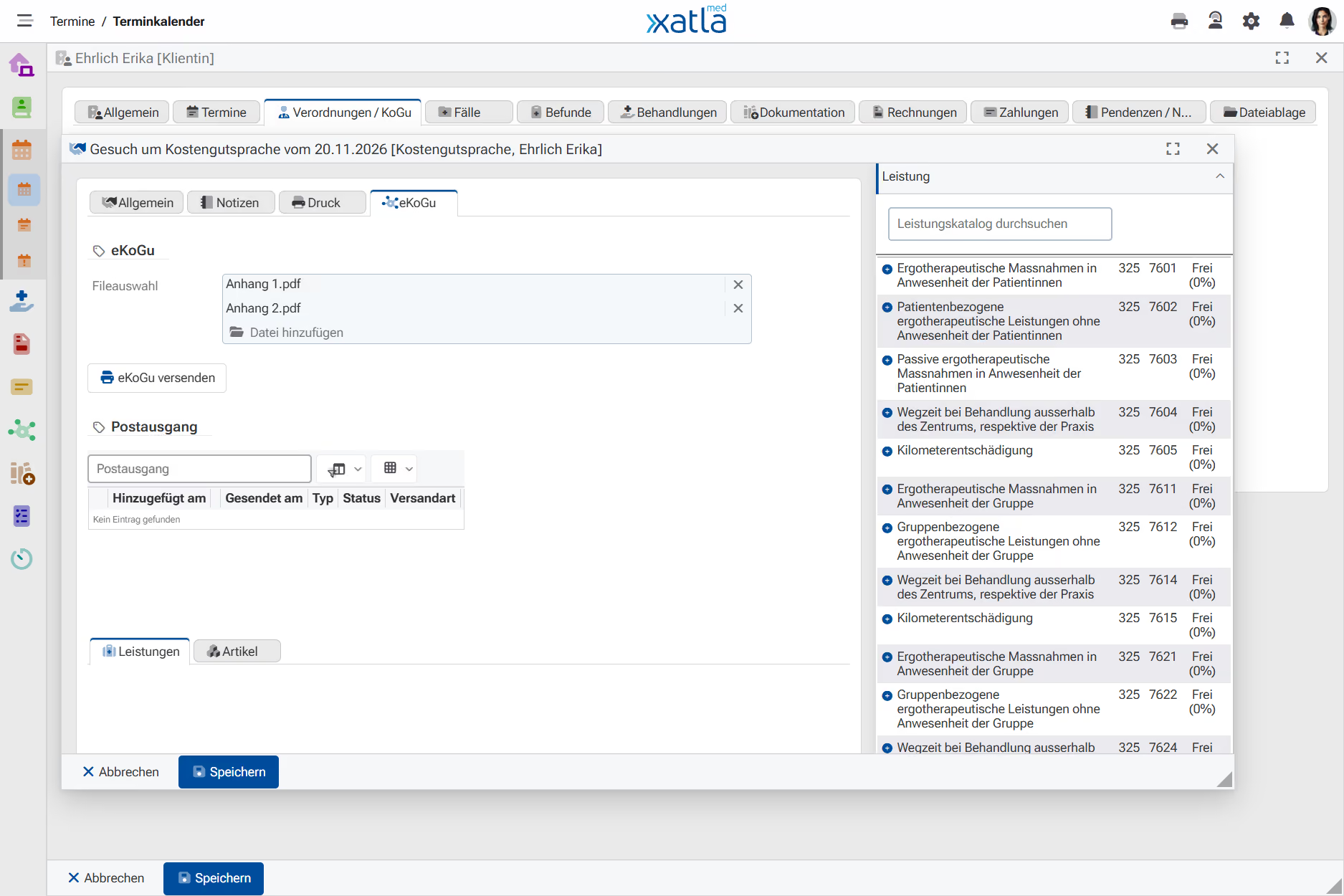
Create the request straight from the prescription and send it to the health insurer or other insurer.
- eKoGu via MediData
- Replies in your inbox
- HIN email for payers without eKoGu
- Attachments added automatically
- Extension and reconsideration
More Features
Discover useful features that show you in good time when a prescription is about to expire or a new cost approval is needed.
Treatment counter in the calendar
In the appointment you see at a glance which treatment is next, for example 6 of 9. Yellow marks the last approved treatment, red one too many. So you can plan a follow-up prescription or an extension in good time.
Alerts when recording
If the quota is used up, the prescription has expired or the treatment predates the prescription, xatlaMed alerts you when recording. So you avoid treatments the insurer won’t cover.
Overview when billing
Before billing, you see for each patient the status of cost approval, quota and validity. So you spot open issues before the invoice goes to the insurer and avoid follow-up questions.
Import prescriptions from a photo
For occupational therapy, Xatlani, the AI in xatlaMed, reads the doctor’s prescription from a photo, scan or PDF and creates the prescription and case for you. You just check the details and skip the typing.
Frequently Asked Questions (FAQ)
In our FAQ, you will find answers to the most common questions about xatlaMed.
For which specialties can I record prescriptions?
You record prescriptions for physiotherapy, occupational therapy and podiatry. Each specialty has its own form with the relevant details, in physiotherapy for example the prescription number, long-term prescription and medical check-up.
How does xatlaMed count the treatments of a prescription?
Each recorded treatment is counted towards the case and thus the prescription. In occupational therapy, one series equals 9 treatments and an assessment 2; in podiatry, the number depends on the diagnosis group. In physiotherapy, 9 treatments are suggested, which you can adjust if needed.
What happens when all prescribed treatments have been recorded?
xatlaMed alerts you when you record another treatment. With a follow-up prescription you create the next one in seconds: all details including diagnoses are copied and the prescription number is increased.
What is a cost approval and what is eKoGu?
With a cost approval, the health insurer or other insurer confirms in advance that it will cover the cost of treatment. With electronic cost approval (eKoGu), the request goes via MediData and the status of the reply is updated in xatlaMed: approved, pending or rejected.
What do I need for electronic cost approval?
For eKoGu you need a connection to MediData, and we are happy to help you set it up. Not all payers can process cost approvals via MediData. For those, xatlaMed sends the request directly by HIN-encrypted email, or you print it.
Can I extend a cost approval?
Yes. If you create another cost approval for the same case, xatlaMed automatically files it as an extension with a matching title. You can also record a new request or a reconsideration if a cost approval was rejected.
Are prescription details carried over to the invoice?
Yes. The referring doctor and the prescription date with the number of treatments, for example 6/9, appear on the invoice. The prescription’s documents are attached so the insurer has everything together.
Try xatlaMed for free or request an individual offer
Sign up for a 30-day free trial account or request a quote. Non-binding and without commitment — see the benefits of xatlaMed for yourself.